Take your servers off the internet
AI tools are finding serious security flaws faster than ever. Patching alone can't keep up, but you can make sure attackers can't reach your systems in the first place.
We move remote access to your servers and admin pages behind Tailscale, so only the right people can reach them. We did the same for our own servers first.
What we take off the internet
- Server and VPS logins (SSH and remote desktop)
- Admin pages for firewalls, NAS units and hypervisors
- Phone system admin pages
- Monitoring dashboards and internal web apps
- Backup servers and file shares
For businesses and their IT teams across the US and Canada, done remotely.
Why now?
In October 2026, PHP, the language behind a huge share of the world's websites, patched two critical flaws nicknamed PHP2Shell. They let an attacker take over a server without logging in. The flaws affect PHP versions going back years, and researchers found them with the help of AI tools.
PHP2Shell won't be the last. AI is making it faster and cheaper to find flaws like these, for researchers and attackers alike. Any server that can be reached from the internet could be hit by the next flaw before a fix exists.
The fix that keeps working is simple: if a system doesn't need to be on the public internet, take it off.
Before
After
What we did to our own servers
When PHP2Shell hit the news, we audited every server Crosstalk runs. Over the following week we moved the admin access for our internal servers behind Tailscale. Here are four of those servers.
Monitoring server
Watches customer phone systems and networks.
Patching server
Pushes updates to more than 120 hosted phone systems.
Phone system backup server
Stores the nightly backups of our hosted phone systems.
Wireless device management
Manages customer radios and wireless links.
One rule for every technician
Every internal server gets the same tag in Tailscale, so a new server gets the right technician access as soon as it is added.
Everyone has their own login
No more shared admin accounts. When someone leaves, removing their access takes one change.
A way in if Tailscale is down
Each server has a documented emergency way in through its cloud provider's console, so nobody gets locked out.
Our secure remote access service
The same process we used on our own servers, applied to yours. It shrinks your attack surface across servers, VPSs, cloud instances, network equipment and phone systems.
Find everything that is exposed
We inventory your servers, VPSs, cloud instances and network equipment, and with your permission we scan from the outside to see exactly what the internet can reach.
Move admin access behind Tailscale
Server logins, admin pages, dashboards and internal apps move to a private Tailscale network, then we close the ports that were open to the internet and remove the old lists of allowed IP addresses.
Access by role
Access rules (ACLs) and tags decide who reaches what. Technicians reach the servers they support, a contractor reaches one system, and removing a person takes one change in one place.
Lock down what has to stay public
Some things have to answer the internet, like your website, a phone system talking to its carrier, or a console that cannot run Tailscale. We keep them updated, limit who can reach their admin pages and turn on two-factor authentication.
Retire the old VPN, if it makes sense
Port forwards and aging VPNs can often go away entirely. We work with your IT team and give them clear instructions to roll the change out to your staff.
Hand it back, documented
Your Tailscale network belongs to you. You get the access rules, a list of every system we moved and an emergency access plan in case Tailscale is ever unreachable.
Who can reach what, written down
Tailscale's access rules say exactly which people and devices can reach which systems. Any connection the rules don't allow is blocked, including every connection from the internet.
People sign in with the accounts your business already uses, like Microsoft 365 or Google Workspace, so access is tied to each person's work account instead of a shared password.
Example rules. Yours are built around your team and your systems.
How a project works
Done remotely, alongside your IT team. Work is billed from prepaid support hours: as low as $175.50/hour with a 10-hour block, or $225/hour pay as you go.
Start with a Checkup
Our Network & Security Checkup ($795 per site) shows what is exposed today. Already know what you need? Skip ahead and talk to us.
We recommend the hours
From what we find, we tell you which systems should move, which should stay public but be locked down, and roughly how many hours the work should take.
Move one system at a time
We set up your Tailscale network, move each system over, test it, and only then close its access from the internet. Your systems stay reachable for your team the whole time.
Hand off to your team
Your IT team gets the documentation and the access rules. From then on your IT team makes the changes, and they can call us whenever they want a hand.
Networking and security, together
Locking down remote access touches firewalls, servers, phone systems and the network between them. We work on all of those every day, so you never have two vendors each saying the problem is on the other side.
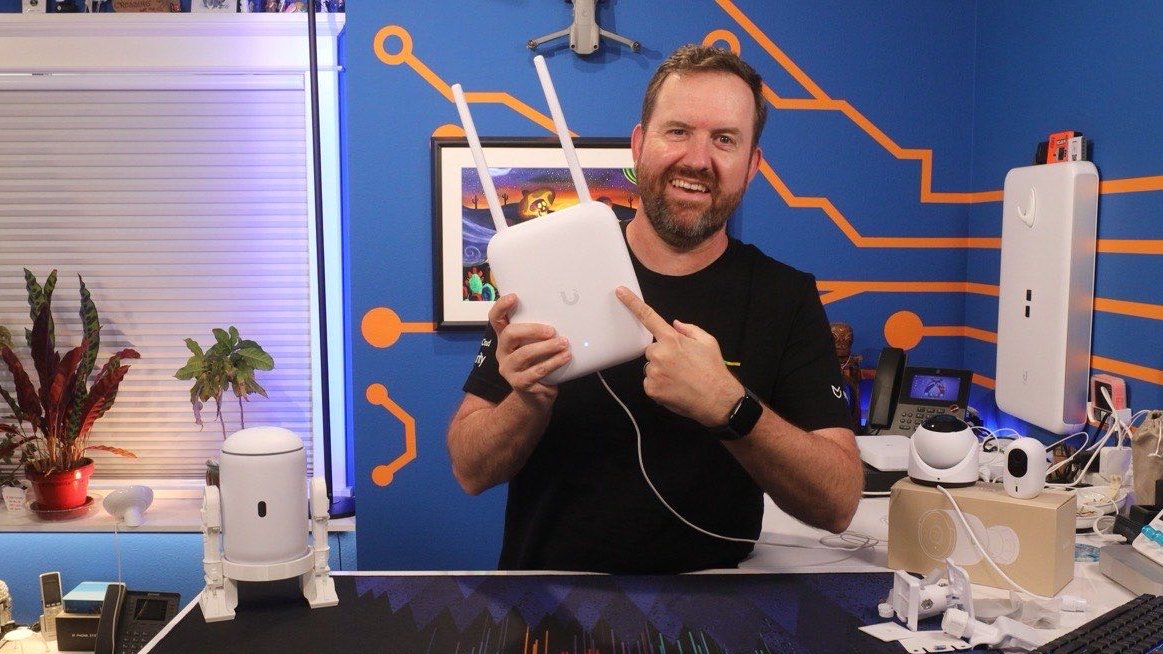
Chris has spent more than a decade teaching networking and security on the Crosstalk Solutions YouTube channel. Have your own IT team or MSP? Good. We work alongside them as a second set of hands.
Secure remote access FAQs
What is zero-trust remote access?
Zero trust means nobody gets in just because they are on the right network or know a password. Each person and device proves who they are, and the access rules say exactly which systems they can reach. In practice, your servers and admin pages stop answering the internet, and only approved people and devices can reach them.
Is Tailscale a VPN?
Tailscale builds a private network between your devices using WireGuard, so it works like a VPN. The difference is that there's no single VPN server to attack and no port to open on your firewall. People sign in with the accounts your business already uses, and access rules control exactly who reaches what.
Do you only work with Tailscale?
We lead with Tailscale because it is what we run on our own servers and it is the best fit for most businesses. If you already use something else, like Cloudflare Access or plain WireGuard, we can work with that too.
Can everything move behind Tailscale?
Not everything. Your website, email, and a phone system talking to its carrier have to answer the internet. So do some cloud-managed consoles and network devices that cannot run Tailscale. For those, we close every port that does not need to be open, limit who can reach the admin page, keep them patched and turn on two-factor authentication.
How much does it cost?
We bill from prepaid support hours: as low as $175.50/hour with a 10-hour block, or $225/hour pay as you go. The hour blocks are on our Support page. Every network is different, so we start with a Checkup or a call and recommend a number of hours. Tailscale's own subscription is separate and billed to you, and we'll help you pick the right plan.
How long does it take?
It depends on how many systems you have. Moving our own four internal servers took a few days. We moved one server at a time and tested each one before closing its access from the internet. A handful of servers is usually days of work, not months.
Who owns the Tailscale network when you are done?
You do. We set it up in a Tailscale account your company owns, add our technicians while we work, then remove them and hand everything to your IT team with the documentation. If you want help after the handoff, our support hours cover that.
Will our staff need to change how they work?
Usually very little. Staff install the Tailscale app and sign in once. We work with your IT team, not with each employee, and give your IT team clear instructions for rolling the change out. No IT department? We'll work with whoever looks after your systems, or with your outside IT provider.
Can you help with our phone system?
Yes. A phone system admin page open to the internet is one of the most common ways phone systems get attacked. We can move the admin page behind Tailscale while your phones and carrier keep working normally. See FreePBX Support for more on phone system security.
We are an MSP or IT provider. Can you help us?
Yes. We can work alongside your team on a client project, or help you set up your own Tailscale network and access rules, so your technicians reach client systems without open ports.
Find out what your business exposes
Tell us what you run, and we'll tell you what should come off the internet and roughly how many hours the work will take.