Eight years ago, I released my first video on the USG (Ubiquiti Security Gateway), sparking interest among Ubiquiti enthusiasts. Since then, there’s been a growing demand for an updated version that balances advanced features with affordability. The wait is finally over with the introduction of the UXG Lite, also known as the Gateway Lite.
Key Features of the UXG Lite The Gateway Lite is a testament to compact power and aesthetic design. It offers:
- A routing performance that is 10 times stronger than the original USG.
- A sleek unified design, marking a significant upgrade from its predecessor.
But the question remains: Does the UXG Lite live up to its hype? Let’s delve into a detailed review to find out.

Unboxing and First Impressions The Gateway Lite, measuring approximately 4x4x1 inches, comes with a power adapter and that’s it! Its features include:
- 15 watt USB-C power supply.
- 1 gigabit WAN and LAN port.
- Dual-core ARM Cortex-A53 CPU with 1 gig of DDR3L RAM, doubling the memory of the USG.
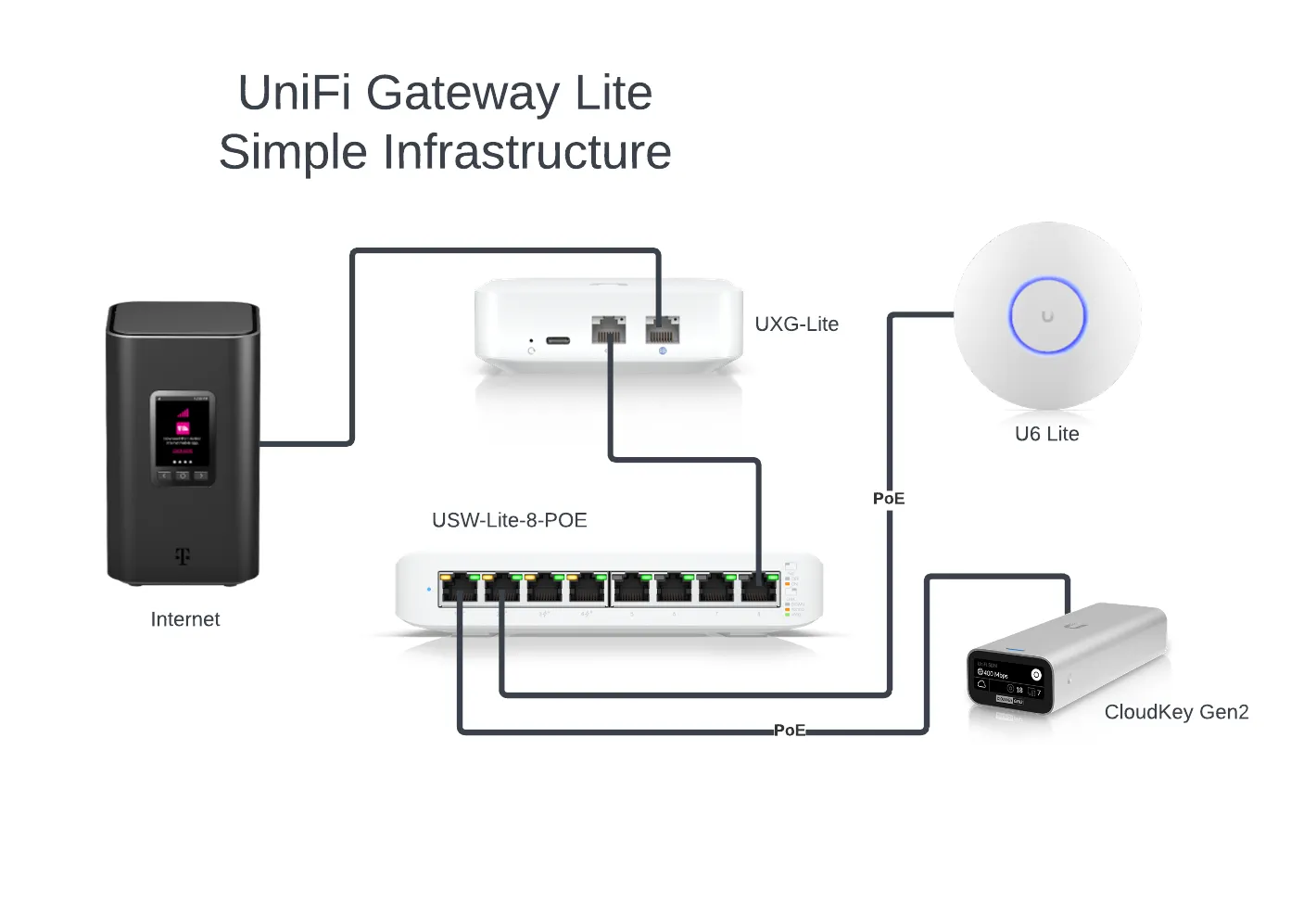
Setting Up the Gateway Lite Setting up is straightforward, even with the requirement of a separate UniFi network controller. I used a CloudKey Gen 2 powered by a USW Lite 8 PoE switch, all in a factory default state. The entire setup process was smooth, albeit with some necessary updates on the CloudKey (which I hadn’t used in over a year).
Performance and Usability The Gateway Lite operates silently, thanks to its fanless design, and maintains a typical temperature of 125-130 degrees Fahrenheit. It fits perfectly as an entry-level device in the UniFi product lineup, ideal for basic network needs and those new to the UniFi ecosystem.
Cost and Value Analysis A basic UniFi setup with the Gateway Lite, including a switch, CloudKey, and an access point, totals just over $400. This setup offers versatility and reliability, especially for small business customers.
Final Thoughts The Gateway Lite is an excellent choice for network installers managing centralized UniFi controllers. It offers flexibility, ease of maintenance, and cost-effectiveness compared to more complex setups.
Conclusion So, what do you think about the Gateway Lite? Would it be your choice for a home network or for your customers? Share your thoughts in the comments below.