You’re managing a mission-critical server. Maybe it’s a client’s phone system, a surveillance NVR, or a production database. When that server locks up or hits a blue screen, no problem. You’ve got a KVM attached. Pull it up, troubleshoot, maybe power cycle, and you’re back online.
But what happens when your internet connection dies? What if the network itself goes down? Now you’ve lost access to that KVM, and you’re driving into the office at 2 a.m. to figure out what’s going on.
KVM over IP devices solve a lot of problems, but they all share one critical weakness: they depend entirely on network connectivity. Until now.
Meet the Comet 5G
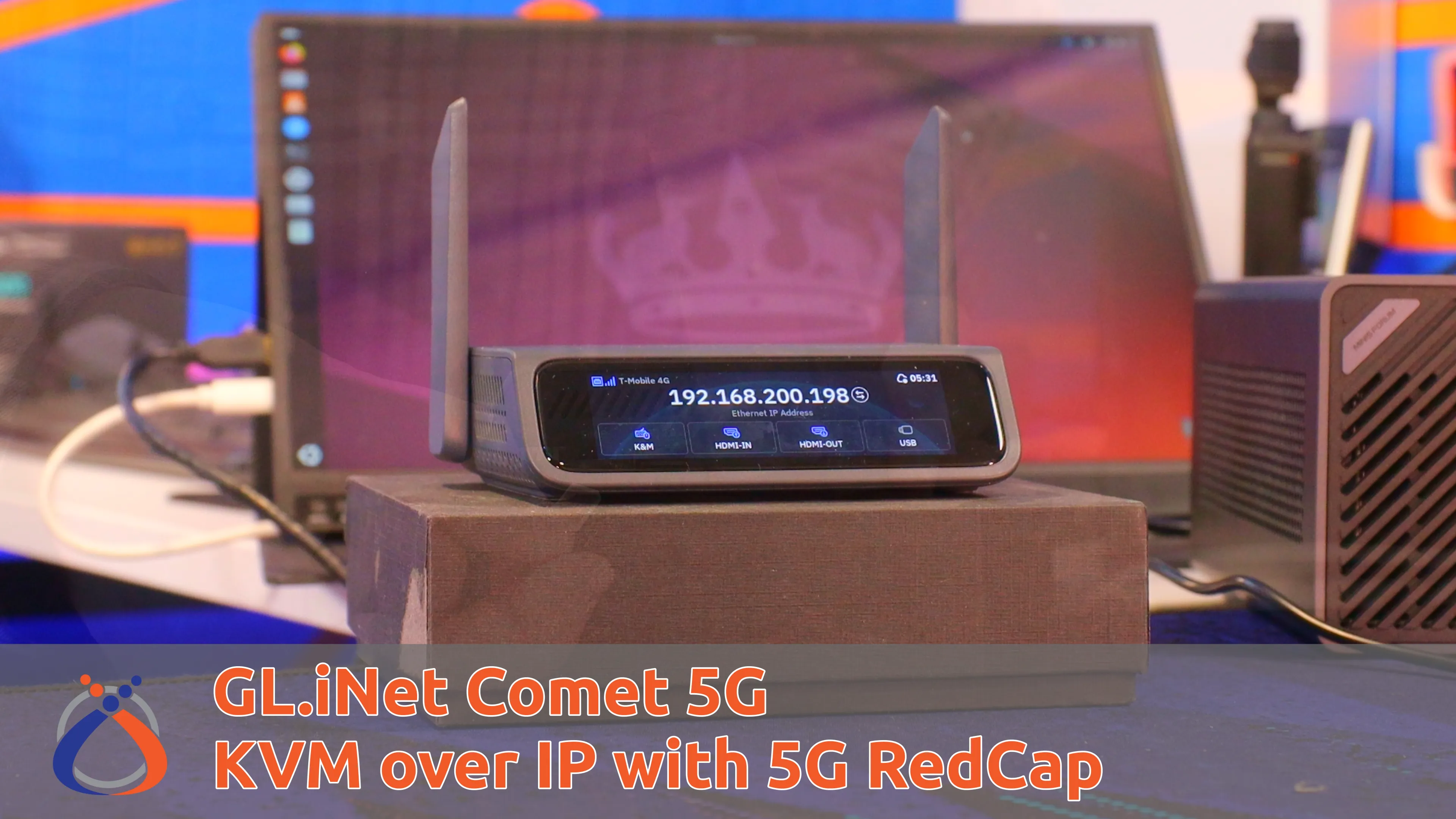
GL.iNet Comet 5G
The Comet 5G is the world’s first KVM switch with integrated 5G RedCap cellular failover. You can hardwire it into your network or connect over the integrated Wi-Fi 6 antenna, but here’s the game-changer: you’ve also got cellular failover in case someone unplugs the wrong cable or your ISP decides to have an outage at the worst possible time.
What’s in the Box
Before we dive into the 5G capability, let’s look at what you’re actually getting. The Comet 5G comes with everything you need to get started: two HDMI cables, USB-C to USB-C and USB-A to USB-C cables, an ethernet cable, and a power brick with US adapter.
The device itself has a similar form factor to GL.iNet’s Slate 7, but with some key differences. The antennas come up from the back, and the display screen is angled rather than flat across the front. Around front, you’ve got a gorgeous 3.69-inch touchscreen display that shows connection status and IP information at a glance.
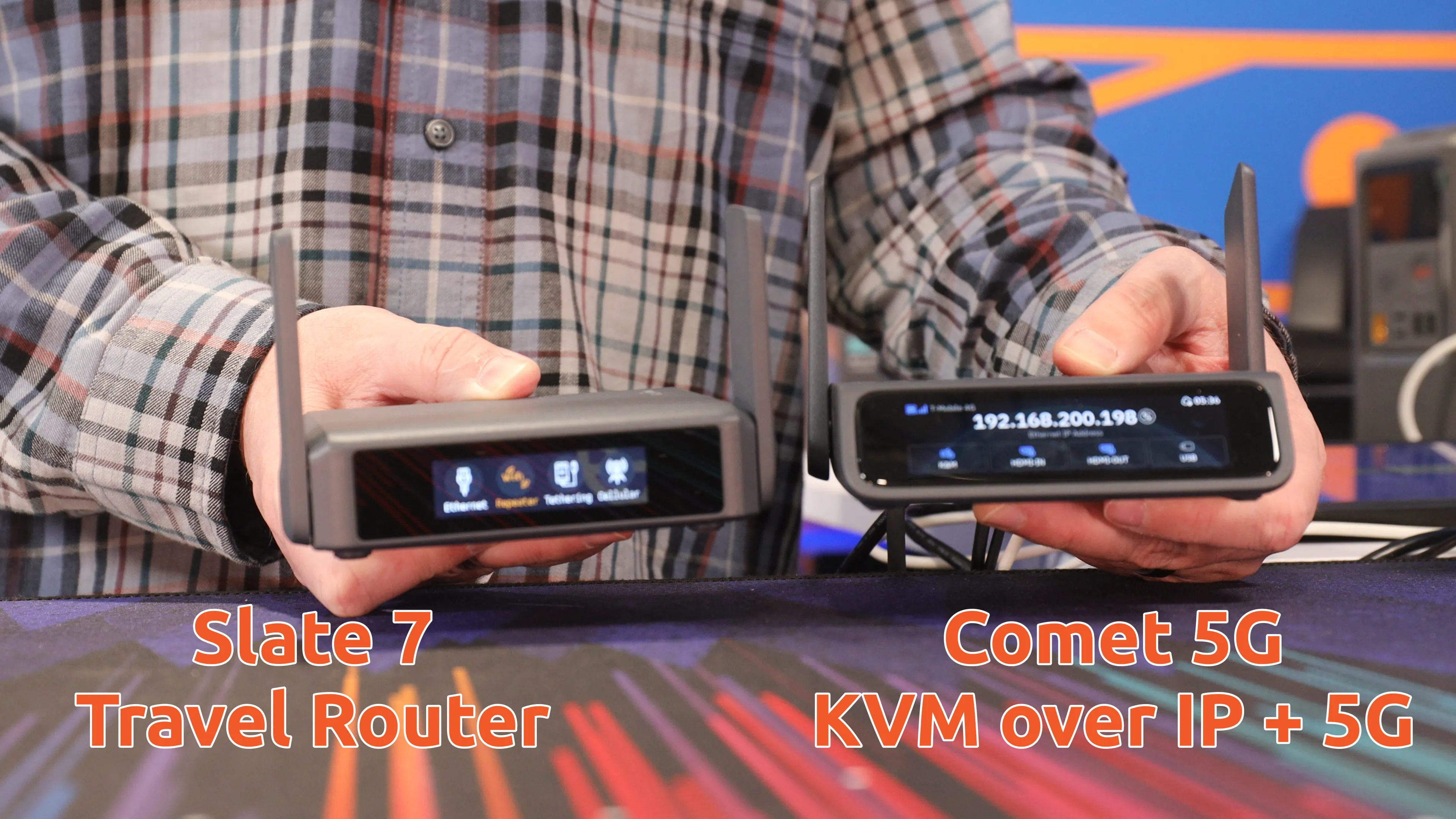
Comet 5G vs. Slate 7
Full-Featured KVM First
The 5G capability is the headline feature, but this is a genuinely capable KVM in its own right. You get 4K HDMI pass-through, meaning it sits inline between your server and monitor. There’s a gigabit ethernet port, USB-C for power, and USB-C for keyboard and mouse emulation to the host server.
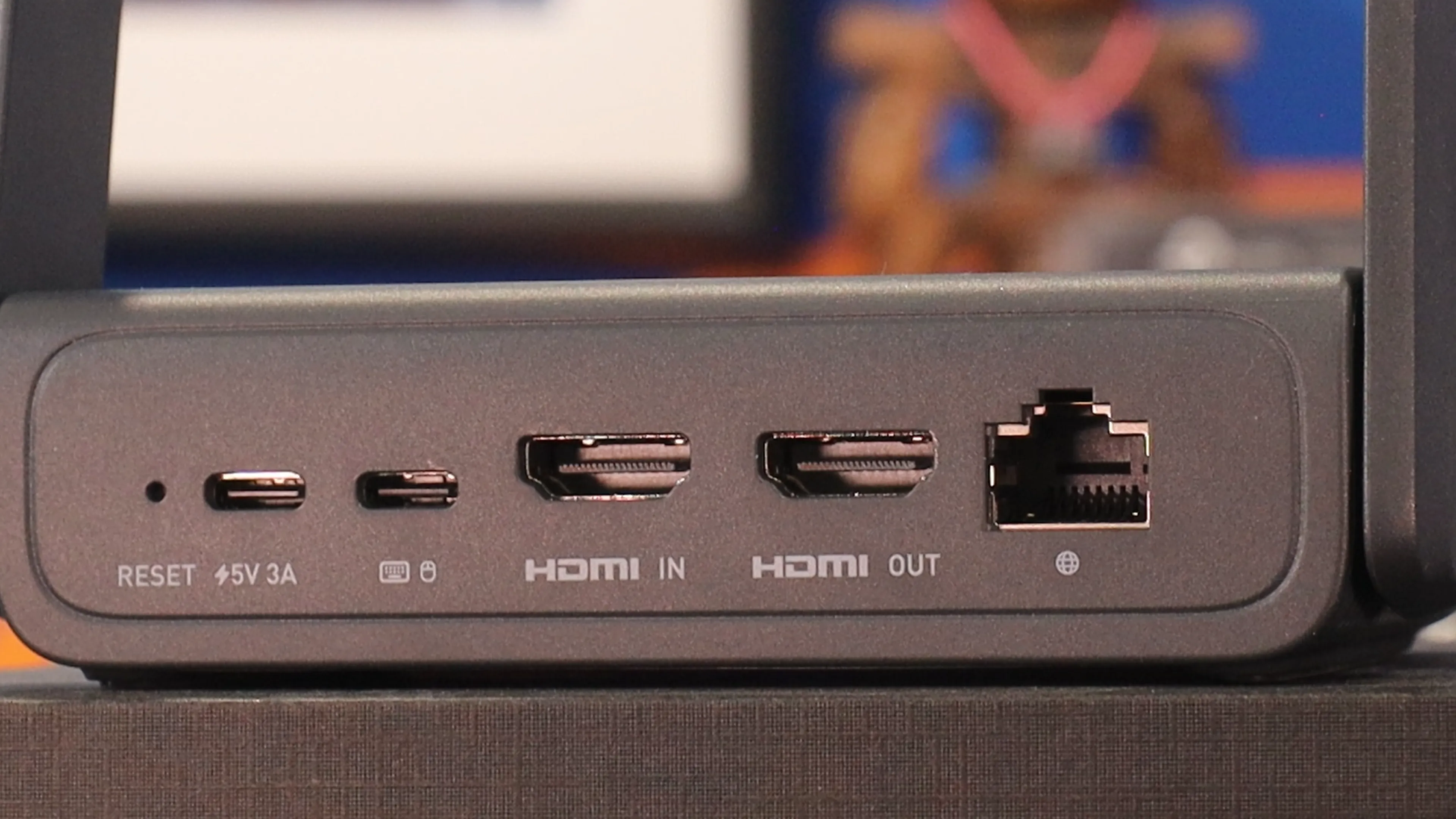
Comet 5G Backside
There’s also a USB-A port on the side for accessories like GL.iNet’s FingerBot, which can physically press the power button on your server if you need to hard boot it remotely. The front-mounted antennas handle both Wi-Fi 6 and 5G cellular connectivity.
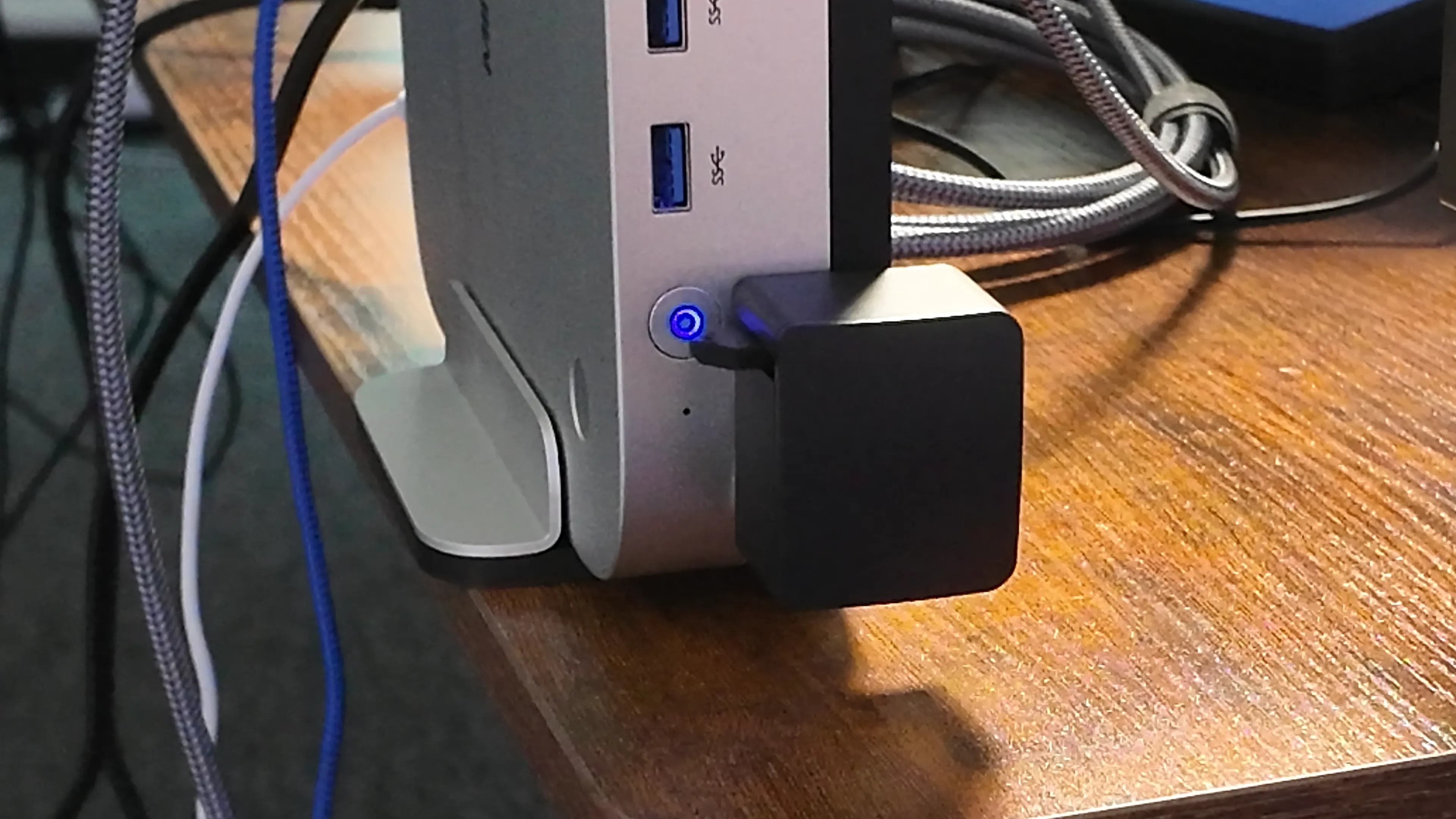
GL.iNet Fingerbot
Under the hood, the Comet 5G uses the same internals as the Comet Pro KVM: a quad-core Cortex-A53 CPU and one gig of DDR3 RAM. It also has 64 gigs of eMMC storage for file transfers to and from your connected server. To be quite honest, 64 gigs is not a ton, but for a KVM device, it’s more than adequate for transferring logs, configs, and emergency patches.
When You Actually Need 5G Failover
Let’s be honest about when this cellular capability actually matters. In my mind, there are three main scenarios.
Network redundancy. If both your ethernet and Wi-Fi connections are down, you can still connect to this KVM over cellular. This is the big one for most people: true network independence for your most critical systems.
Air-gapped servers. Some servers can’t touch your network at all for security or compliance reasons. The server doesn’t have a network connection, but this KVM can connect over 5G with Tailscale, and you’re in. Similarly, there may be situations where a server does have internet capability, but network policies prohibit the connection of any third-party devices or software.
Mobile deployments. Live events, remote sites, temporary installations, anywhere you need KVM access but can’t count on local infrastructure being reliable or even existing.
5G RedCap: What It Actually Means
The Comet 5G is designed to work with RedCap SIMs. RedCap means “reduced capability,” which sounds bad but is actually a specific flavor of 5G designed for IoT and mid-tier devices. It’s faster than Cat 4 LTE but has lower power consumption than a full 5G connection.
You may have already heard about RedCap because it’s used in the new Series 11 Apple Watches that support both GPS and cellular. AT&T and T-Mobile have both rolled out nationwide RedCap capability already.
For my testing, I used a Crosstalk Mobile Unlimited SIM, which is actually way overkill for this application. The beauty of a KVM is that it doesn’t use much data. You’re primarily sending keyboard inputs and receiving compressed video. A RedCap SIM would be perfect, but a standard 5G SIM works just fine too.
Setup and Configuration
You can’t use 5G to do the initial setup. You have to first configure the Comet 5G with either ethernet or Wi-Fi. Once you’ve got it on your network, pop your SIM into the slot on the side, and it’ll recognize and connect automatically.
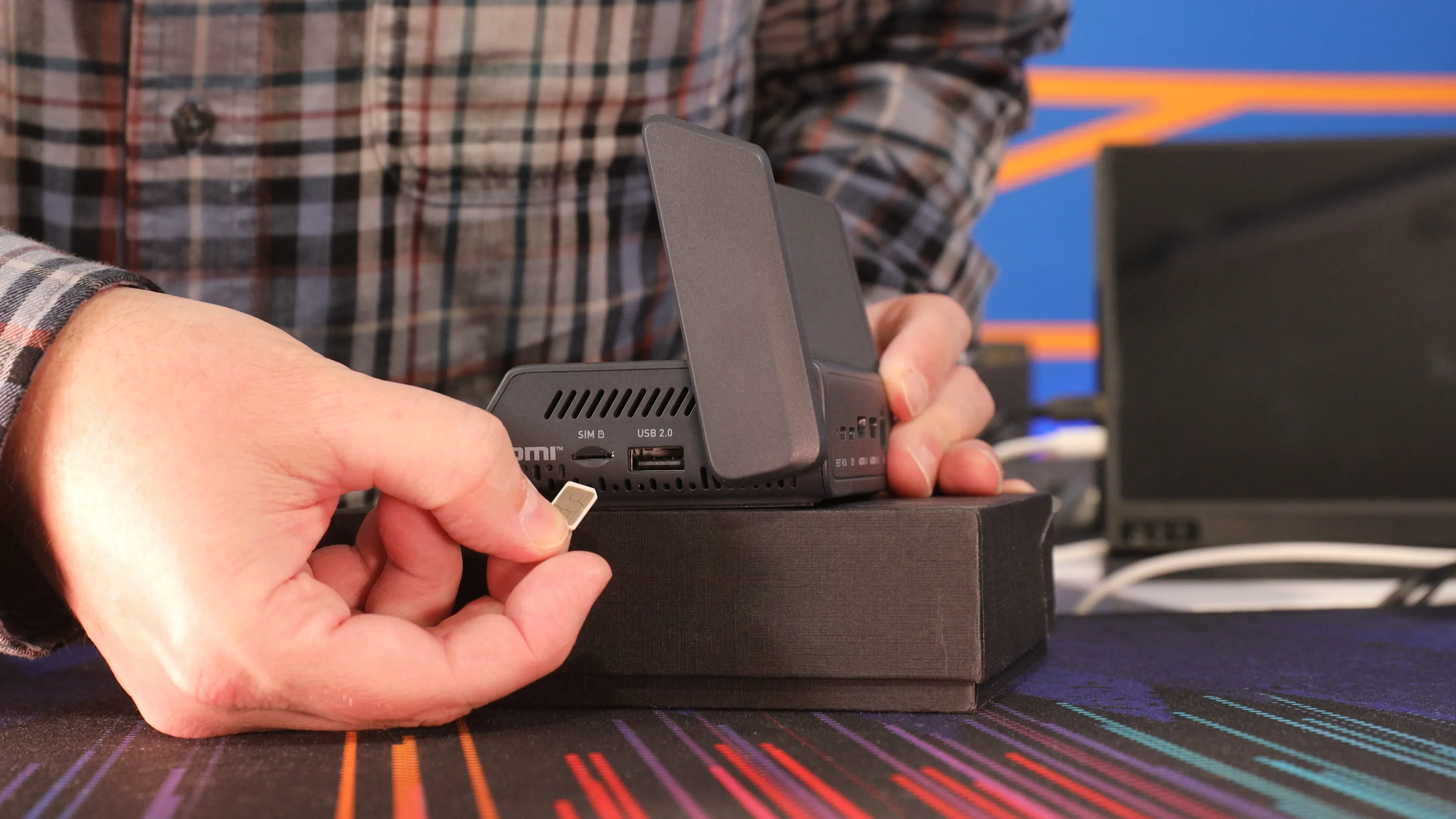
5G Cellular SIM Slot
The browser interface is the same as the Comet Pro KVM. You can check the status of all your network connections by going into Settings and then Network Status at the bottom.
For remote access, you’ll want to connect to Tailscale. Pop over to the App Center, enable Tailscale, click Bind Device, and follow the prompts. Once connected, you can access the KVM through its Tailscale IP from anywhere in the world. And for you ZeroTier users, GL.iNet told me they’ve got native ZeroTier integration on the roadmap.
If you don’t want to use Tailscale or ZeroTier, you can also bind to GL.iNet’s KVM Cloud, which functions pretty much the same way.
The Real Test: Upstream Network Failure
The easy test is just unplugging the ethernet cable. Pull the cable, and boom, the display switches almost immediately from your LAN IP to the cellular WAN IP. Plug it back in, and it switches back to ethernet within moments. The Comet 5G is designed to use ethernet first, then Wi-Fi, then cellular in that order.
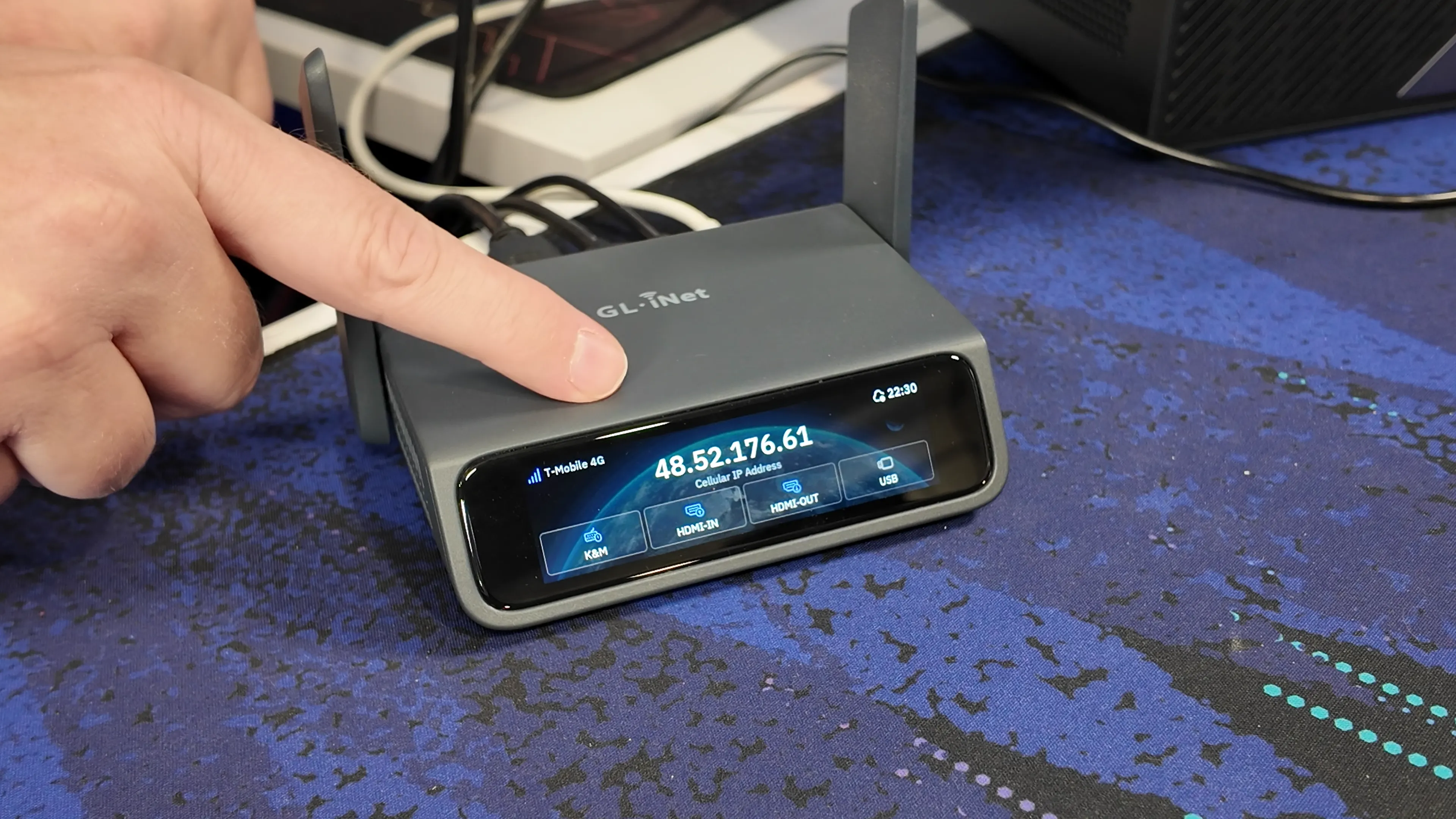
Failed over to Cellular
But that’s not how networks actually fail in the real world. In the real world, an upstream switch dies, or your ISP has an outage, or your router locks up. The KVM’s ethernet port stays connected (its link state doesn’t change), but the internet is gone.
So here’s what actually matters: Can the Comet 5G detect an upstream connectivity issue and still fail over to cellular?
I set up a test where the Comet 5G and an Ubuntu server were both plugged into the same switch, which was connected to my main network through a second switch. With a persistent ping running on the Ubuntu server, I disconnected the upstream switch connection.
The Ubuntu server lost internet immediately. The persistent ping stopped. But from my laptop, I could still control the server because I was going over Tailscale through 5G to the Comet 5G, which maintained its HDMI pass-through to the Ubuntu server.
When I plugged the switch back in, the internet came back, the Comet 5G switched back to the LAN IP address, and the persistent ping resumed. All the while, I maintained uninterrupted access to the server from my laptop.
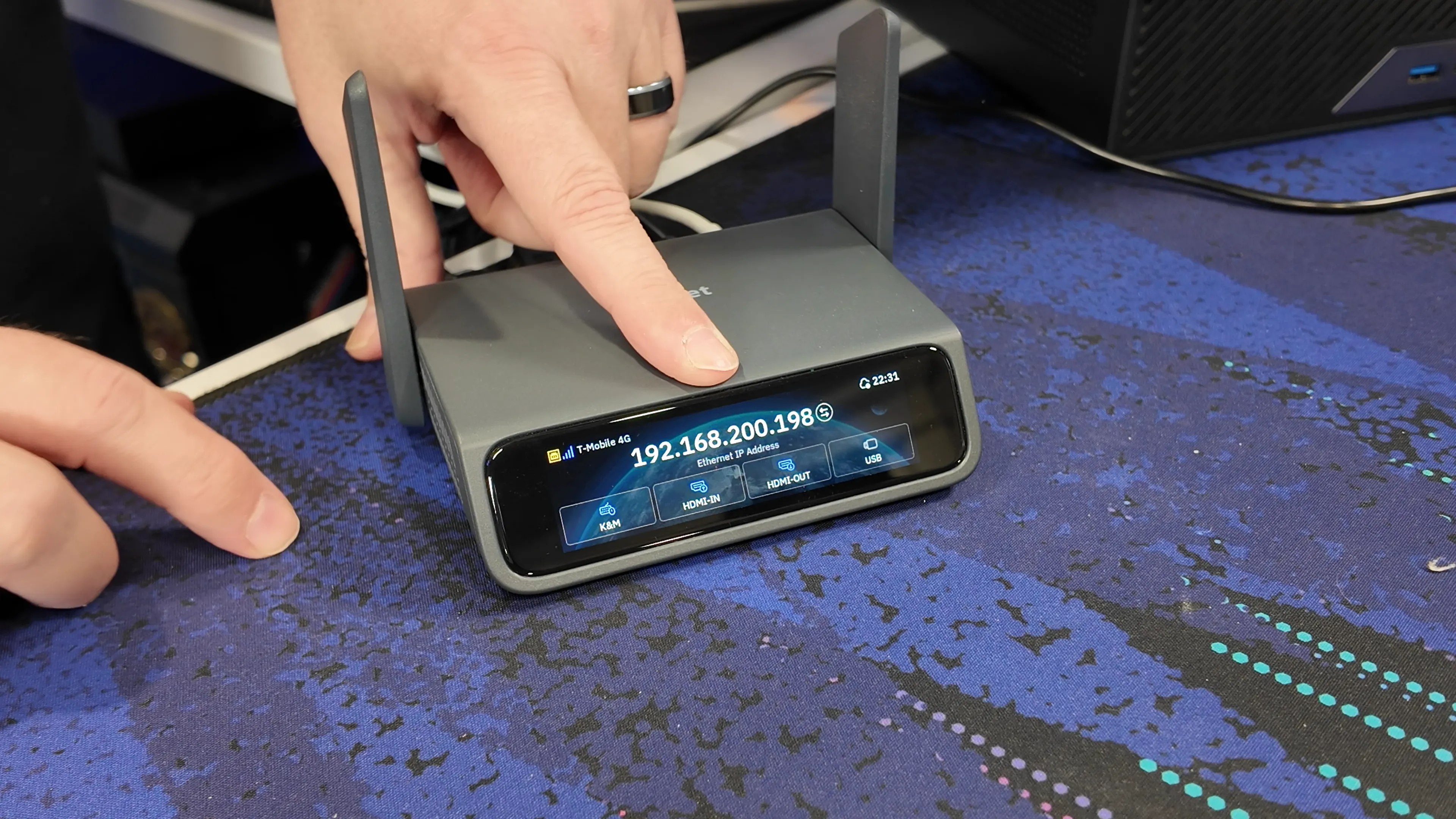
Failed back to LAN
The Comet 5G correctly sensed the upstream outage and failed over to cellular, even though its own ethernet port never lost link state.
The Bottom Line
The Comet 5G is the world’s first KVM switch that I’m aware of with 5G RedCap cellular failover built right in. There are other KVM solutions where you can sort of kludge together a USB cellular modem, but in those situations, you’re adding both complexity and additional points of failure into your KVM failover solution.
The Comet 5G ships in early March 2025 with an MSRP of 299 bucks. As of this writing, early bird pricing is still available for 219 bucks, with standard pre-order pricing set to 239 dollars.
For that price, you get integrated 5G failover, ethernet and Wi-Fi connectivity options, 64 gigs of onboard file storage, Tailscale support, and that gorgeous little touchscreen display. All of that combined makes the Comet 5G a no-brainer for your mission-critical remote KVM needs.
In my opinion, if you’ve got servers that absolutely cannot go down without immediate access, the extra cost over a standard KVM is worth it for the peace of mind alone. No more 2 a.m. drives to the office because someone tripped over a network cable.
Watch the full video walkthrough to see the Comet 5G in action and check out my deep dive into the Comet Pro KVM if you want more details on the underlying platform. And if you’re looking for that unlimited 5G SIM I mentioned, check out Crosstalk Mobile. It’s perfect for applications like this where you need reliable connectivity but don’t want to deal with data caps.